


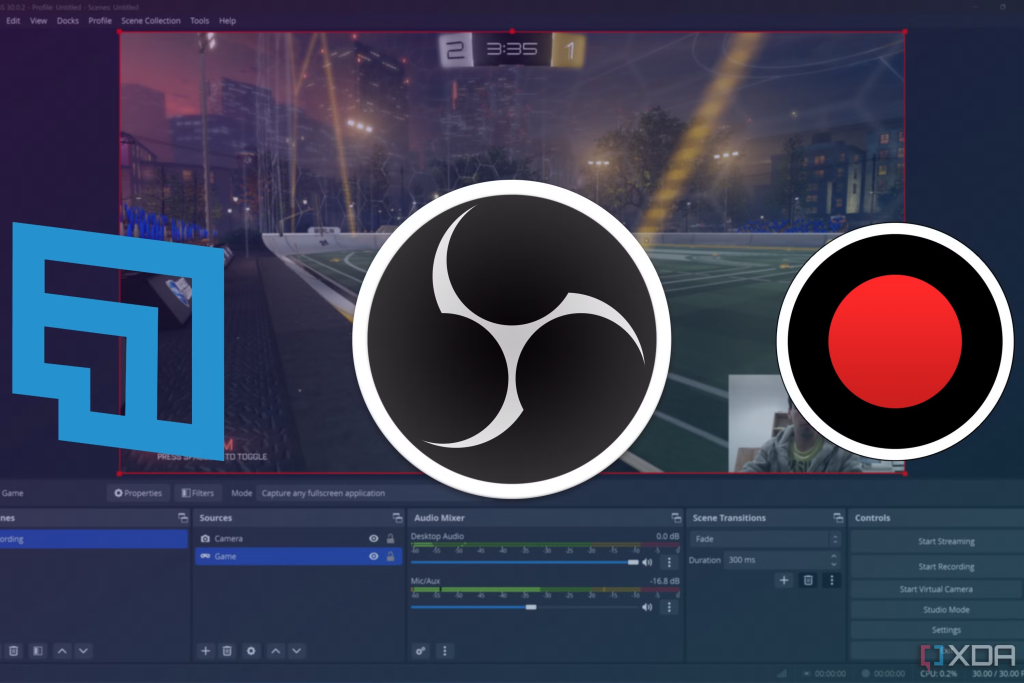
In today’s digital age, where gaming has become a major form of entertainment, the ability to capture and share gameplay has never been more important. Whether you’re looking to share epic moments, create content for platforms like YouTube and Twitch, or simply analyze your performance, having the right game recording software can make all the difference. In this guide, we’ll explore some of the best free and paid game recording software available for Windows gamers.
The Importance of Game Recording Software
Before we delve into the specific software options, it’s worth considering why game recording software has gained popularity among gamers. Here are a few reasons:
- Community Sharing: Recording gameplay allows you to share highlights, strategies, and outrageous fails with friends and the broader gaming community.
- Content Creation: If you’re thinking about starting a channel on YouTube or Twitch, gameplay recording is essential for building an audience and sharing your passion.
- Improvement & Analysis: Watching your own gameplay can provide valuable insights, revealing areas for improvement and enhancing your gaming skills.
- Great Moments Capture: Sometimes, the most extraordinary moments happen unexpectedly. Recording software helps ensure you never miss these fleeting instances.
With these benefits in mind, let’s explore some of the most robust options available for both free and paid software.
Free Game Recording Software
1. OBS Studio (Open Broadcaster Software)


Platform: Windows, macOS, Linux
Key Features:
- High-definition recording with no watermark.
- Extensive customization options for layouts and sources.
- Integrated streaming capabilities with support for popular platforms like Twitch and YouTube.
- A vast community and extensive resources, including tutorials and plugins.
Why It’s Great: As an experienced gamer and content creator myself, I can vouch for OBS Studio as a go-to tool for many of us in the gaming community. It offers professional-level features at no cost, making it an invaluable resource. Although its user interface can be intimidating at first, a quick chat with community members or a dive into its user forums reveals a treasure trove of help, tutorials, and enhancements to make your recording experience more seamless.
2. NVIDIA ShadowPlay


Platform: Windows (NVIDIA GPU required)
Key Features:
- Instant Replay feature captures the last 30 seconds of gameplay.
- Minimal performance impact while recording.
- Supports 4K recording at high frame rates.
- Integration with GeForce Experience for easy customization.
Why It’s Great: If you have an NVIDIA graphics card, ShadowPlay is an absolute must-have. My friends who use it love how they can easily capture the most thrilling moments without worrying about constant recording. The Instant Replay feature is a game-changer, ensuring you don’t miss those jaw-dropping highlights. With it maximizing resource efficiency, you can focus entirely on your gameplay without lag.
3. Windows Game Bar

Platform: Windows 10 and 11
Key Features:
- Built-in tool requiring no additional software installations.
- Simple recording and screenshot options with an easy-access overlay.
- Basic editing features for quick clip trimming and sharing.
Why It’s Great: Windows Game Bar represents an excellent option for casual gamers who want no-frills recording capabilities. I remember helping my brother capture his incredible feats in games like “Fortnite,” and the Game Bar did the trick without the need for extra installations. Its seamless integration with Windows makes it a solid choice for beginners who want to capture gameplay quickly without hassle.
4. ShareX


Platform: Windows
Key Features:
- Screen capturing in various formats, including GIFs.
- Extensive editing and annotation tools.
- No watermarks or time limits on recordings.
- Easy cloud storage integration for quick sharing.
Why It’s Great: ShareX provides immense flexibility, not only functioning as a game recorder but also as a powerful screenshot tool. For content creators, the ability to capture video and easily share it can be incredibly beneficial. After using ShareX to create GIFs from funny moments in games, I appreciated how easy it made sharing them with my friends. The vast customization options set ShareX apart, and you can’t beat the price—it’s free!
5. Bandicam (Free Version)


Platform: Windows
Key Features:
- Record up to 10 minutes of gameplay in 4K resolution.
- Option to record external devices like webcams.
- Low performance impact while recording.
Why It’s Great: Although the free version of Bandicam puts a limit on recording duration, the quality you receive is impressive. I found it user-friendly, making it easy for newcomers to dive into game recording. While it might be a stepping stone for some, others may stick with it simply for its quality.
Paid Game Recording Software
1. Bandicam


Platform: Windows
Pricing: Starting at $39.95 (one-time purchase)
Key Features:
- High-quality recording in 4K resolution at up to 480 frames per second.
- Ability to record specific game windows or the entire screen.
- Real-time drawing and annotation tools.
- Can record external devices such as gaming consoles.
Why It’s Great: Bandicam has garnered a loyal following among gamers for good reasons. The high-quality output and impressive feature set make it an excellent investment if you plan to create content regularly. I’ve seen dedicated streamers rely on Bandicam for its reliability and performance, especially when they want to capture higher resolutions or longer gameplay sessions without interruptions.
2. Camtasia


Platform: Windows, macOS
Pricing: Starting at $249.99 (one-time purchase)
Key Features:
- Advanced editing capabilities with timelines and effects.
- Interactive features like quizzes and comments for educational videos.
- Supports multiple formats and resolutions.
- User-friendly interface that is beginner-friendly.
Why It’s Great: Camtasia excels at providing not just recording capabilities but also comprehensive editing tools suited for content creators. You can create polished videos with ease, and its responsive support community can guide you through any hurdles you encounter. For those serious about content creation—especially educational content or tutorials—Camtasia proves to be a worthy investment.
3. Fraps


Platform: Windows
Pricing: $37 (one-time purchase)
Key Features:
- Simple interface designed for quick recordings.
- Real-time frame rate display.
- High-quality recording at various resolutions and frame rates.
Why It’s Great: While Fraps may seem dated compared to other software, its ease of use makes it popular among many gamers. I’ve appreciated its straightforward approach since it allows me to focus on my gameplay without complicated settings to navigate. If you prefer a tool that gets straight to the point and fits your gameplay style, Fraps might just be for you.
4. Movavi Game Capture


Platform: Windows, macOS
Pricing: Starting at $39.95 per year
Key Features:
- Lightweight software with a quick setup process.
- Ability to capture in-game footage in HD quality.
- Simple video editing tools for quick edits.
- Integration with various platforms for instant sharing.
Why It’s Great: Movavi Game Capture stands out for its simplicity, making recording a breeze. Many of my friends appreciate how quick it is to get started and capture their gameplay moments. With decent editing capabilities built-in, it’s a fantastic choice for those who want to share their adventures without diving deep into complicated software.
5. XSplit Gamecaster

Platform: Windows
Pricing: Free version with premium subscription starting at $4.99 per month
Key Features:
- Built-in streaming capabilities with real-time alerts.
- User-friendly interface with rapid setup for quick recordings.
- Integration with various social media platforms for seamless sharing.
Why It’s Great: Designed with streamers in mind, XSplit Gamecaster makes recording and sharing gameplay fun and easy. I appreciated the notification features, which help you engage better with your audience. If live-streaming is in your plans, XSplit provides an engaging platform to interact with your followers while capturing your gameplay effortlessly.
Conclusion
Choosing the right game recording software for your Windows gaming experience hinges on your goals and preferences. Free options like OBS Studio, NVIDIA ShadowPlay, and Windows Game Bar cater brilliantly to beginners and casual gamers. For those looking to invest in more advanced features, software like Bandicam, Camtasia, or Movavi Game Capture promises enhanced capabilities, allowing you to create high-quality content.
The game recording software landscape is exciting and diverse, providing tools customized to various needs and skill levels. By evaluating your own gaming goals—whether documenting your achievements, engaging with a community, or refining your skills—you can easily find a tool that fits your gaming journey. Remember, capturing those memorable moments enhances your experience and brings your gaming adventures to life. Happy recording, and may your gameplay be filled with exhilarating captures!


With years of experience in technology and software, John leads our content strategy, ensuring high-quality and informative articles about Windows, system optimization, and software updates.